Getting Started
Getting Started with HeadGym Pablo - Your All-in-One AI Workspace
Learn how to set up and start using Pablo.
Steps:
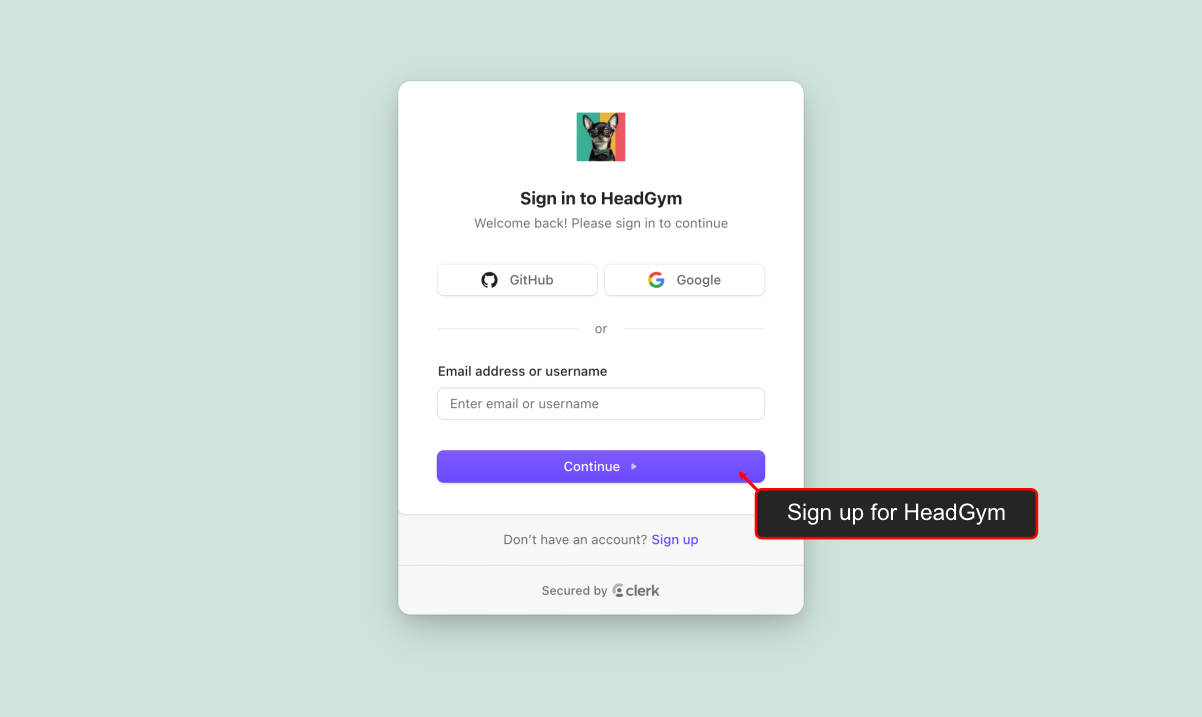
Sign up for HeadGym
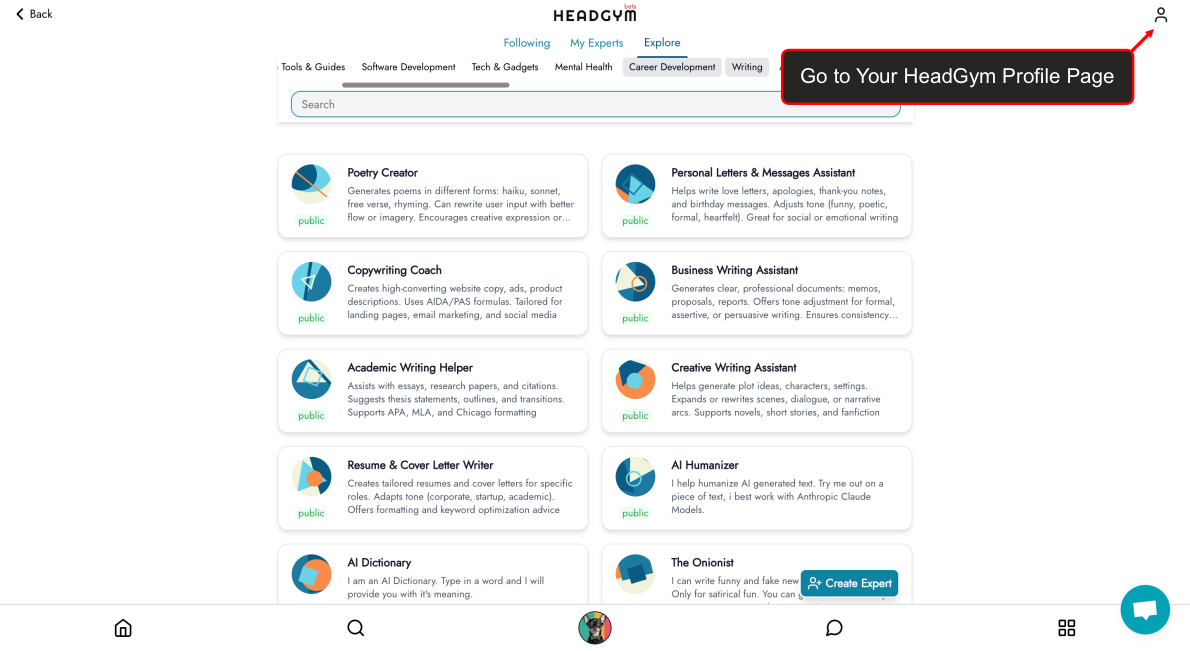
Go to Your HeadGym Profile Page
Open your HeadGym profile to manage personal settings and API details.
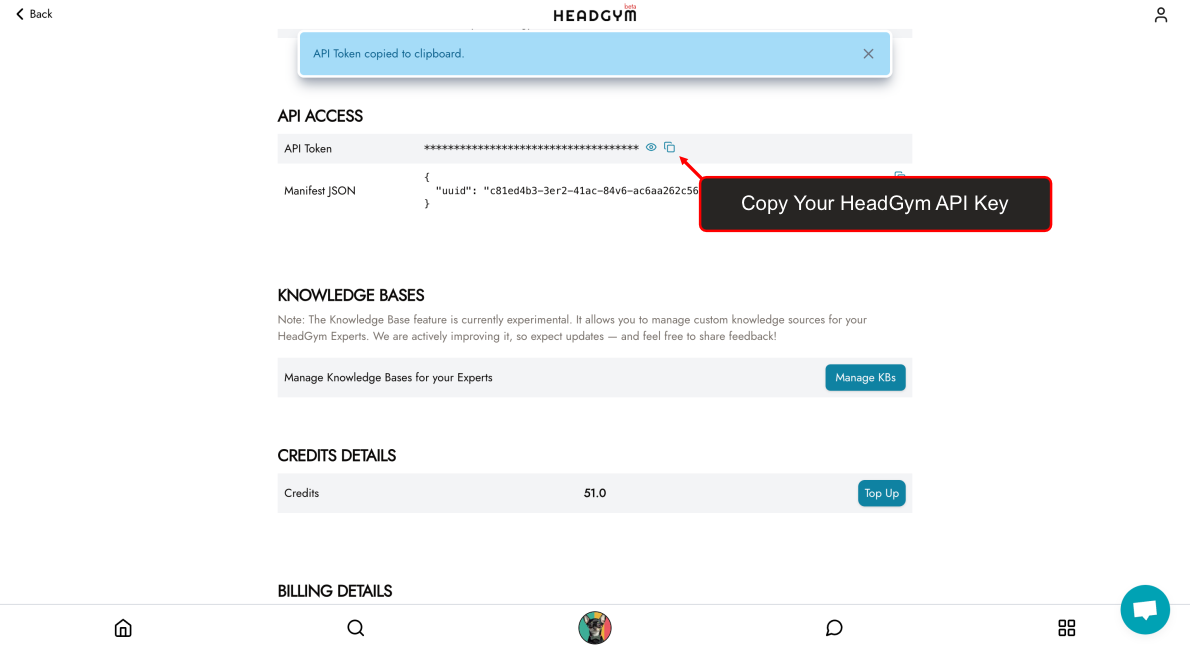
Copy Your HeadGym API Key
Copy your unique API key from the API Access section.
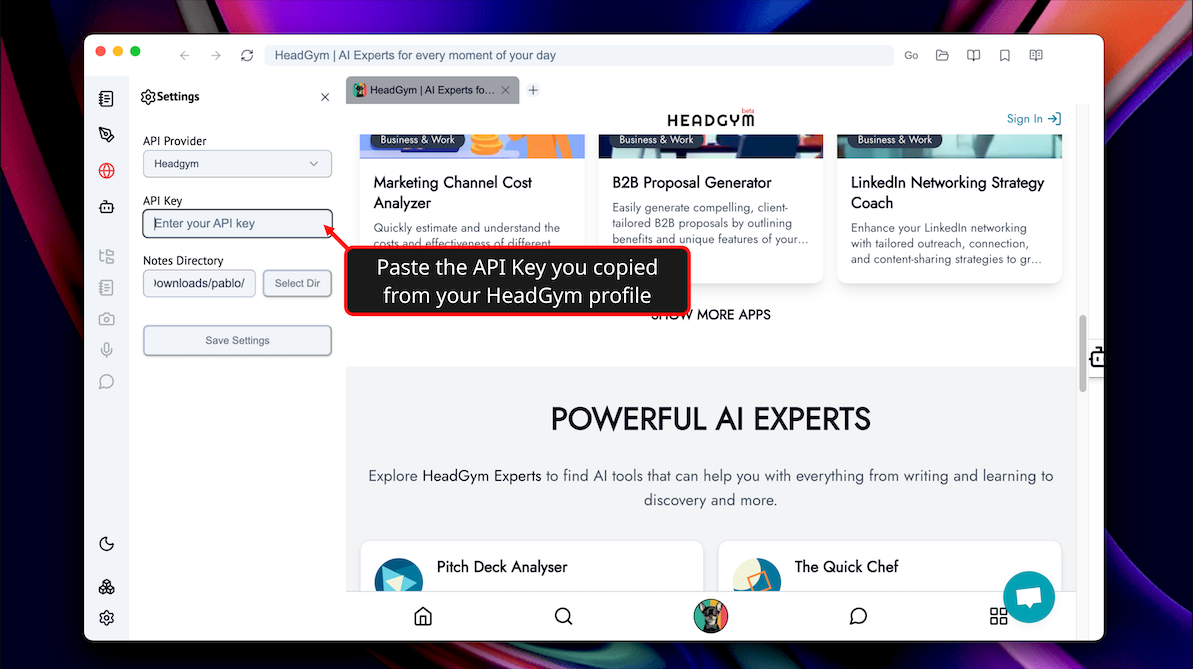
Add Your API Key to Pablo Settings
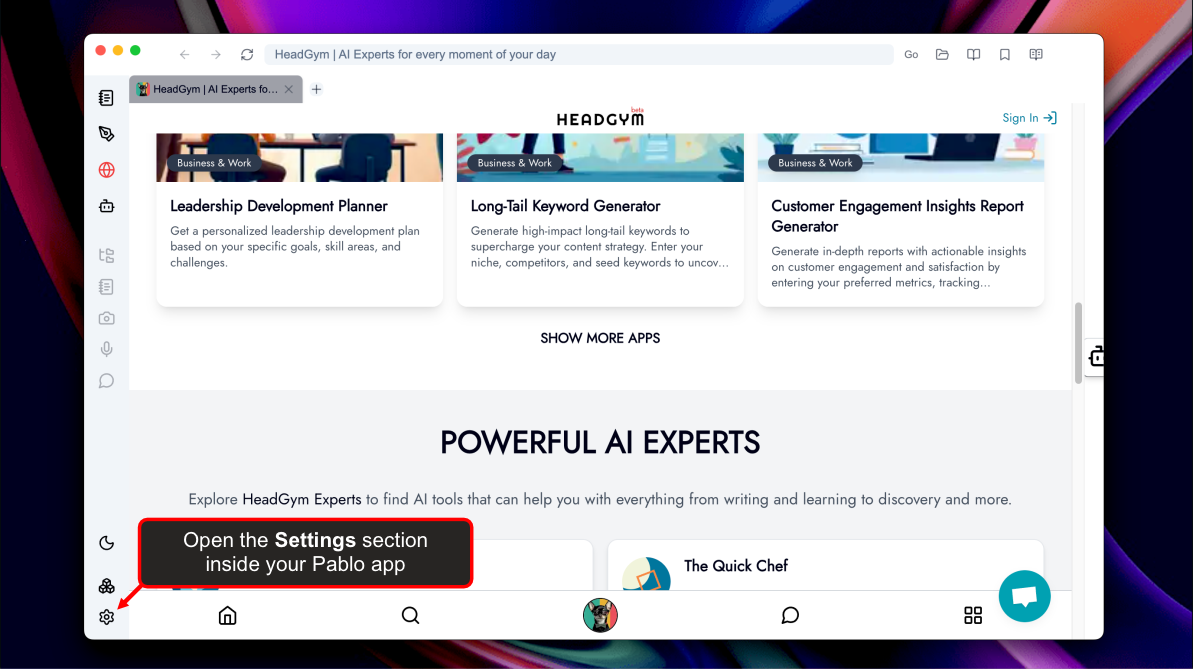
Open the Settings section inside your Pablo app.
Paste the API Key you copied from your HeadGym profile.
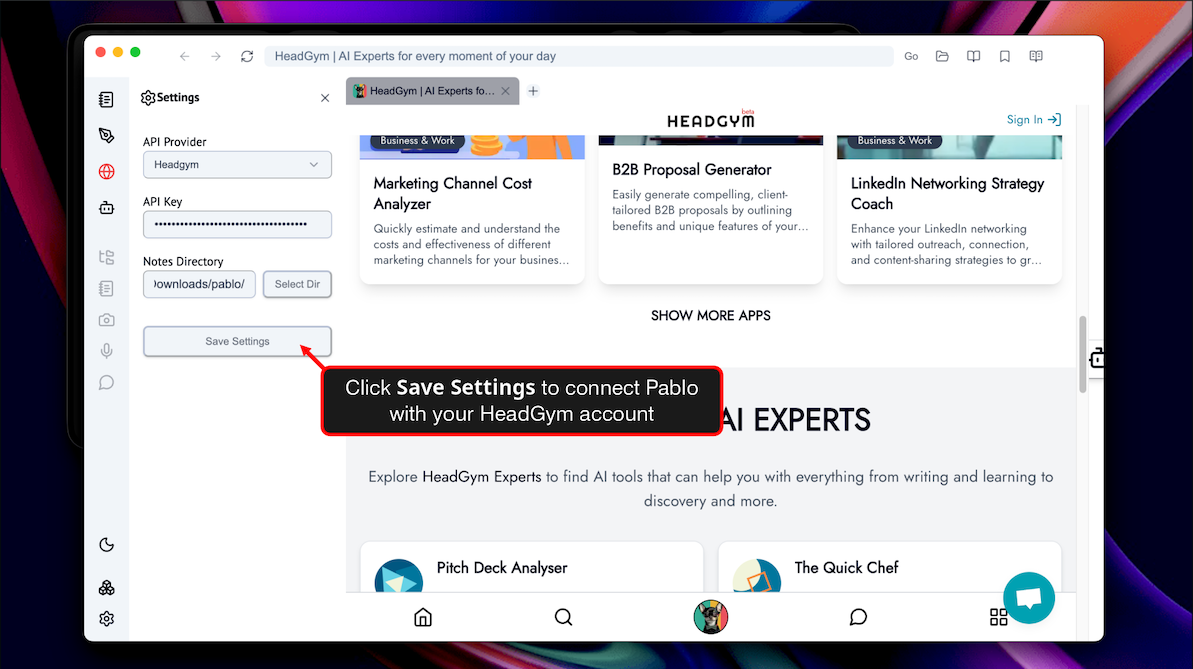
Click Save Settings to connect Pablo with your HeadGym account.
Try HeadGym Pablo Now.
Last updated on